Have you ever joined meetings that feel messy and unproductive? Many teams struggle with online behavior and unclear communication rules. That creates confusion and wastes valuable work time quickly.
Virtual meeting etiquette solves this problem with clear professional standards. It helps you communicate better and present yourself confidently online. At Rise Forge Media, we guide businesses on communication strategies.
This article teaches you proper virtual meeting etiquette step by step. You will learn rules that improve meetings and your professional image.
What Is Virtual Meeting Etiquette?
Virtual meeting etiquette refers to the conditions of professional conduct in online meetings. Good Virtual Meeting Etiquette: When you adhere to the virtual meeting decorum, individuals can listen and trust your communication. Also, discussing helps you avoid confusion and awkward moments. Strong etiquette skills are bound to strengthen your professional image and the way you succeed in remote work.
Importance of remote work culture
Remote work depends heavily on digital communication tools. Poor behavior can quickly break trust within your team. Good virtual etiquette builds respect and smooth collaboration across teams. You show professionalism through actions during every online interaction. Strong habits improve your reputation across teams and clients.
Camera Etiquette for Virtual Meetings
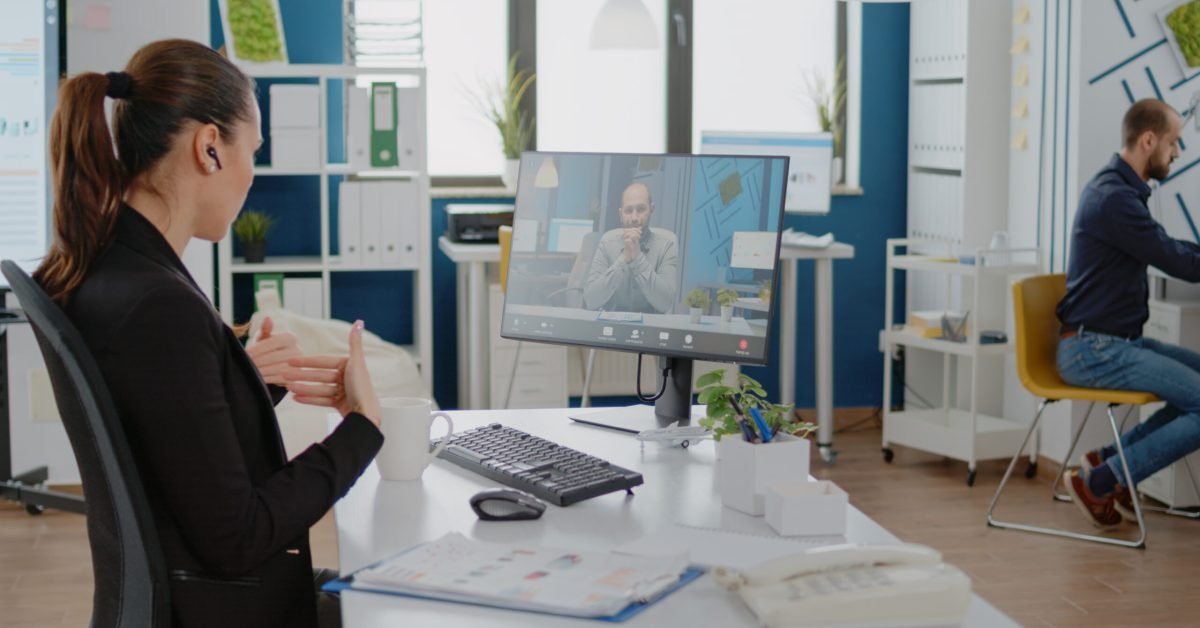
Camera behavior plays a huge role in online meetings. People judge your focus through your appearance and posture.
Eye contact and positioning
Keep your camera at eye level for natural interaction. Look into the lens while speaking during important discussions. Avoid looking away too often during conversations.
Sit straight and keep your face clearly visible always. This builds trust and improves your communication instantly.
Lighting and background setup
Use soft lighting that shows your face clearly. Avoid strong backlighting from windows behind you. Choose a story that is accessible without distractions or clutter.
A simple wall or tidy workspace works best. Professional settings improve your overall virtual etiquette presence.
Virtual Etiquette Rules You Must Follow
Good habits create smooth and effective meetings always. These rules guide your behavior in every session.
Punctuality and preparation
Arrive at meetings five minutes early to avoid delays. Test the microphone and digital camera before joining the interview. Keep notes ready for discussion points and questions.
- Be prepared with agenda points before meetings start
- Stay punctual to respect everyone’s valuable time
- Review topics, so you contribute clearly and confidently
Preparation shows respect and builds trust with your team.
Communication discipline
Absolutely speak and refrain from interrupting others while they are speaking. Mute the microphone when you are no longer speaking during conference calls. Use accessible language so that every person knows your factor effortlessly.
- Actively listen before responding to any discussion
- Stay focused for the duration of the conferences and stay away from multitasking
- Use chat wisely for relevant points only
Strong communication improves your virtual meeting etiquette quickly.
In-Person vs Virtual Meeting Etiquette
Both meeting types require professionalism but differ in execution. Understanding differences helps you adapt easily across environments.
Key differences
Virtual meetings rely on technology and digital communication tools. Body language becomes limited compared to physical meetings. Technical issues can disrupt the flow and create confusion quickly.
You must rely more on voice clarity and structure.
What stays the same
Respect, listening, and professionalism remain equally important always. You still need preparation and clear communication in both formats. Courtesy and time management matter in every meeting type.
These core habits define strong professional behavior everywhere.
Teams Meeting Etiquette (Microsoft Teams Focus)
Many businesses use Microsoft Teams for communication needs. Understanding Teams meeting etiquette helps you perform better.
Muting, chat usage, and hand raising
Mute the microphone if others are interacting at any stage of conference calls. Mute the microphone when you are ready to contribute without hesitation. Only use chat for short, relevant messages.
Raise your hand digitally before you speak at large meetings.
- Mute properly to avoid background noise distractions
- Use chat carefully for helpful comments only
- The raise-hand feature keeps discussions organized
Following these rules improves your Teams meeting etiquette greatly.
Tools That Improve Virtual Meetings
Using the right tools makes meetings smoother and more professional. Technology supports better communication and presentation quality.
Video editing software for presentations
Video editing software helps create polished meeting presentations. You can edit visuals and improve clarity before sharing. Clean videos keep your audience engaged longer.
- Edit clips to remove unnecessary content.
- Add visuals to explain ideas better
- Improve clarity for better audience understanding
Better presentations improve your overall virtual etiquette impression.
Noise reduction tools
Background noise can ruin communication during meetings quickly. Noise reduction tools help maintain clear audio quality always.
- Filter noise from the surrounding environment easily
- Improve voice clarity during important discussions
- Reduce distractions for better meeting focus
Clear sound improves your professional image significantly.
How RiseForge Media Helps?
Rise Forge Media supports businesses with communication improvement strategies. We create training content focused on professional meeting behavior. Our team helps you build strong digital communication habits. We also provide SEO content for business communication topics. Branding support helps you grow as a confident digital professional. You build authority through a clear and consistent online presence.
Conclusion
Strong virtual meeting etiquette builds your professional reputation steadily. You stand out when your behavior reflects professionalism and respect. These skills help you grow in remote work environments faster. At Rise Forge Media, we help businesses improve communication strategies. Our team supports your growth with practical training and guidance.
Frequently Asked Questions
What is basic virtual meeting etiquette?
Basic virtual meeting etiquette includes punctuality and clear communication. You should mute when not speaking during meetings. Keep your camera steady and maintain eye contact often. These habits improve your virtual meeting etiquette quickly.
Should I keep my camera on all the time?
Keeping your camera on depends on meeting expectations. Most professional meetings expect cameras during discussions. It shows engagement and builds trust with participants. However, some situations allow turning the camera off briefly.
How do I behave in Teams meetings?
Follow clear Teams meeting etiquette for better performance. Mute when silent and use chat carefully during meetings. Raise your hand before speaking in larger groups. Stay focused and avoid distractions during calls always.
What should I avoid in virtual meetings?
Avoid multitasking and checking your phone during meetings. Do not interrupt others while they are speaking. Poor lighting and messy backgrounds reduce professionalism. These mistakes harm your virtual etiquette image quickly.
How can I improve my online presence in meetings?
Practice speaking clearly and maintain steady eye contact. Use good lighting and a clean background setup. Prepare your points before joining any meeting session. Strong virtual meeting etiquette improves your presence greatly.